
Download Office Control – Task Management, Remote Monitoring, Productivity Optimization
Overview
Key Features & Functionality
Office Control offers a suite of features tailored to enhance workplace productivity and administrative oversight. Each function is designed to support efficient task management and system-wide monitoring.- Remote Activity Monitoring: Managers can observe real-time activities on connected workstations, enabling proactive identification of workflow inefficiencies and ensuring adherence to work schedules.
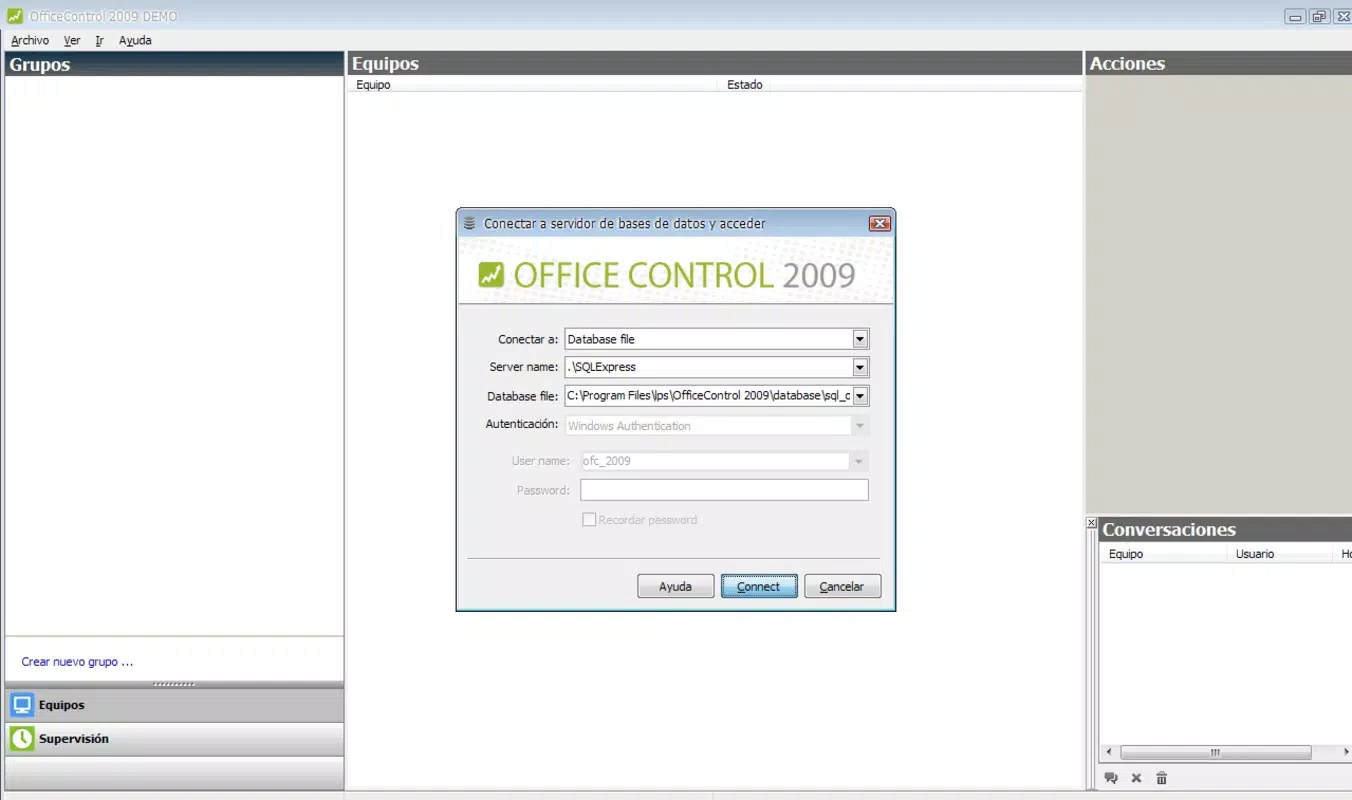
- Robust Database Integration: Built on SQL Server 2008, the app ensures reliable data storage, fast query responses, and secure handling of task and activity logs across multiple devices.
- User-Friendly Administration Interface: The control panel is designed for intuitive navigation, allowing administrators to configure settings, assign tasks, and manage user access with minimal training.
- Adaptable Implementation System: The tool can integrate with various server infrastructures, making it suitable for organizations with diverse IT environments, including hybrid or legacy systems.
- Task Optimization Tools: By analyzing performance data, the system helps identify recurring bottlenecks, enabling data-driven decisions on resource allocation and task delegation.
Interface, UX & Performance
The user interface of Office Control is structured to prioritize clarity and functional efficiency, aligning with professional administrative workflows. The dashboard presents key performance indicators, active tasks, and system status in a clean, organized layout. Navigation is linear and consistent, with clearly labeled sections for monitoring, reporting, and configuration. Although the developer did not list formal performance metrics, the app’s design suggests a focus on responsiveness and minimal latency during remote operations. Users can expect a stable experience across a range of device categories, including desktops and laptops used in enterprise settings. The interface maintains readability even when handling large volumes of data, thanks to well-organized panels and filtering options. While mobile access details were not specified, the system’s remote capabilities imply that access may be available through web-based clients or companion tools. The application’s reliance on SQL Server 2008 indicates a backend architecture optimized for reliability rather than real-time mobile interaction. Although the developer did not specify minimum OS requirements or compatibility details, the app appears to be built for desktop-centric environments. Stability is implied through its database-driven architecture, which reduces the risk of data loss or session crashes. Overall, the UX emphasizes control and precision, making it well-suited for administrators who value structured workflows and accurate reporting.Platform Compatibility & Technical Requirements
Office Control is designed for use within enterprise IT environments, with compatibility confirmed for Windows-based systems. The application requires SQL Server 2008 to operate, indicating a dependency on specific server infrastructure. The file size is reported as 45.2 MB, suggesting a lightweight footprint relative to its functionality. The software version is 2009.08.24, and the release date was August 24, 2009. The developer did not specify minimum OS requirements or compatibility with mobile platforms. No information was provided regarding support for Android, iOS, or other operating systems. Additionally, the app’s availability as a standalone mobile application was not confirmed. Users should verify system compatibility with their existing server and network setup before deployment. The absence of detailed technical specifications means that installation and configuration must be evaluated on a case-by-case basis, particularly in environments with strict security or compliance policies.Pros and Cons
Pros
- Strong integration with SQL Server 2008 for reliable data handling
- Remote monitoring capabilities support workplace accountability
- User-friendly administration interface reduces setup complexity
- Adaptable implementation system allows integration with various server infrastructures
- Designed for task optimization and performance tracking in professional settings
Cons
- Release date of 2009 suggests potential outdated technology for modern environments
- No confirmed mobile or cross-platform availability
- Specific system requirements and compatibility details were not disclosed
- Limited information on security protocols and data encryption
- May require significant IT expertise for deployment and maintenance
FAQ
Is Office Control available for Android or iOS devices?
The developer did not provide information on mobile platform availability. The app appears to be designed for desktop and server environments.
Can Office Control be used for remote employee monitoring?
Yes, the application includes remote activity monitoring features that allow managers to oversee employee work on company devices.
What database does Office Control use?
Office Control is built to integrate with SQL Server 2008, which serves as its core database engine for storing task and activity data.
Is Office Control secure for enterprise use?
The app leverages SQL Server 2008 for data management, which offers established security features. However, specific encryption or access control details were not provided.
How often is Office Control updated?
The last known release was on August 24, 2009. No information on current update frequency or support status was made available.


